Google Sheet URL
The Google Sheet URL you can pull data from should look like this: https://docs.google.com/spreadsheets/d/1ZIQ1kgun3SvdEoOfnOCkuB3PIkQ0nzrUNCaTV5LHTrA/edit?resourcekey=&gid=838379452#gid=838379452
The expected format for your input spreadsheet is A, Date, B Player Identifier ie Discord name.
Column C, output string.
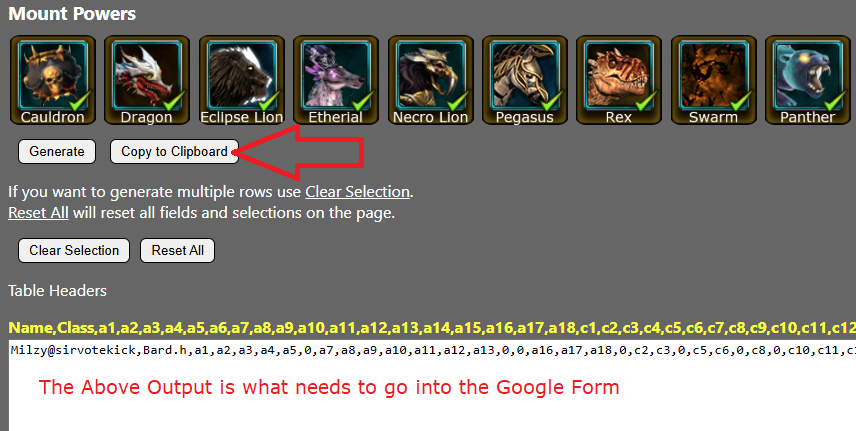 The other thing to note is that your spreadsheet should have the view options set to public.
Manual Arti Sorting
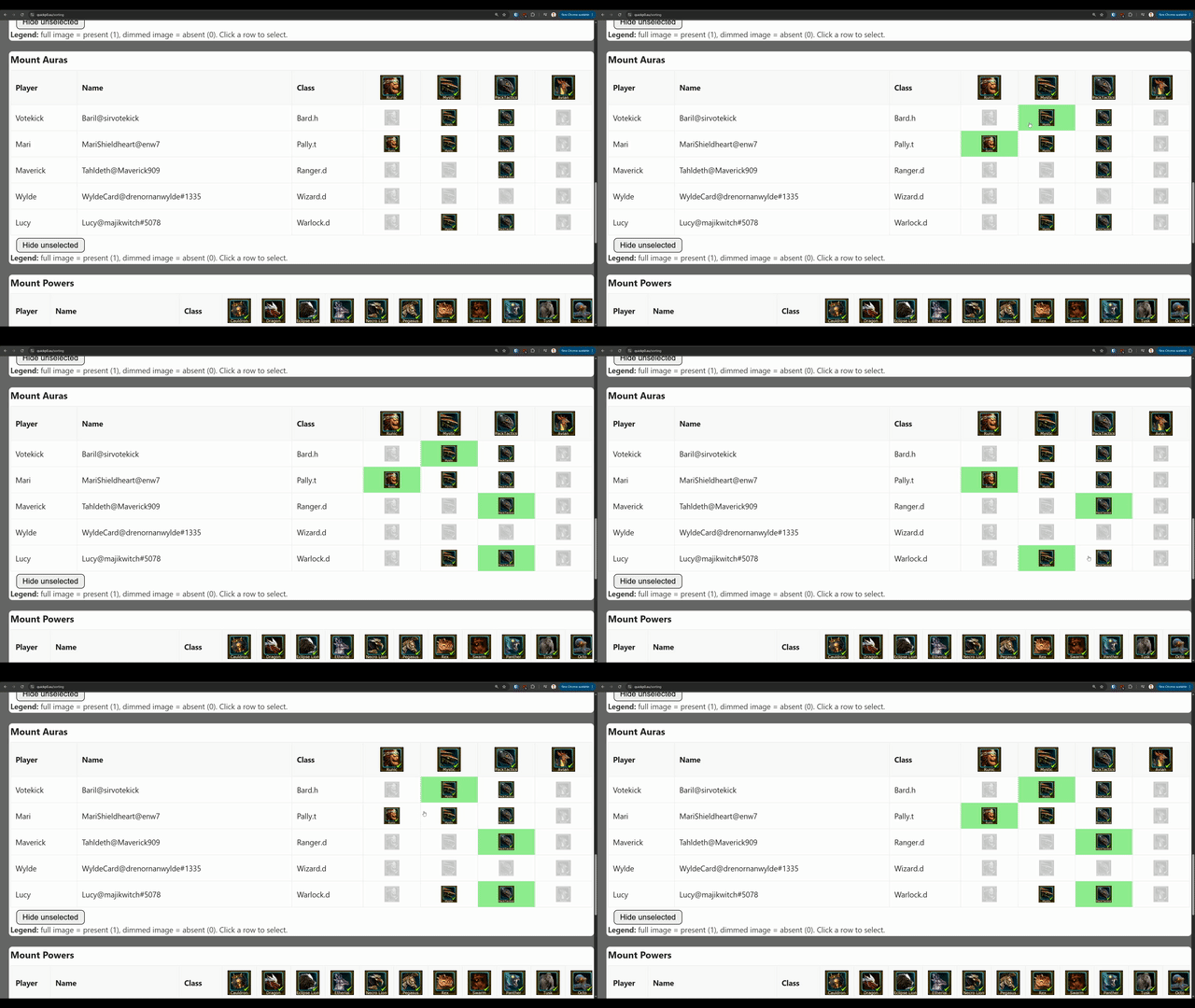
When manually sorting you can select the rows and hide the reset. Selected rows show as blue and the button at the bottom of each section can be used to hide the unselected rows.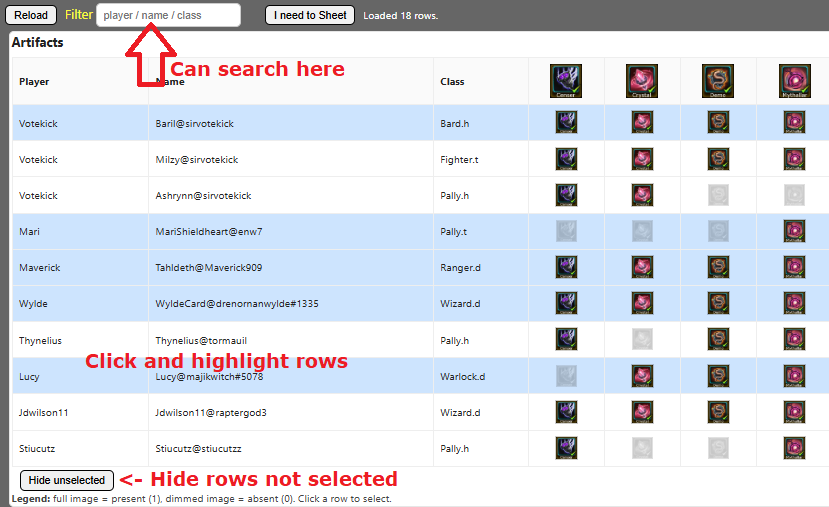 When selecting things like Artefacts, you cannot double up by design.
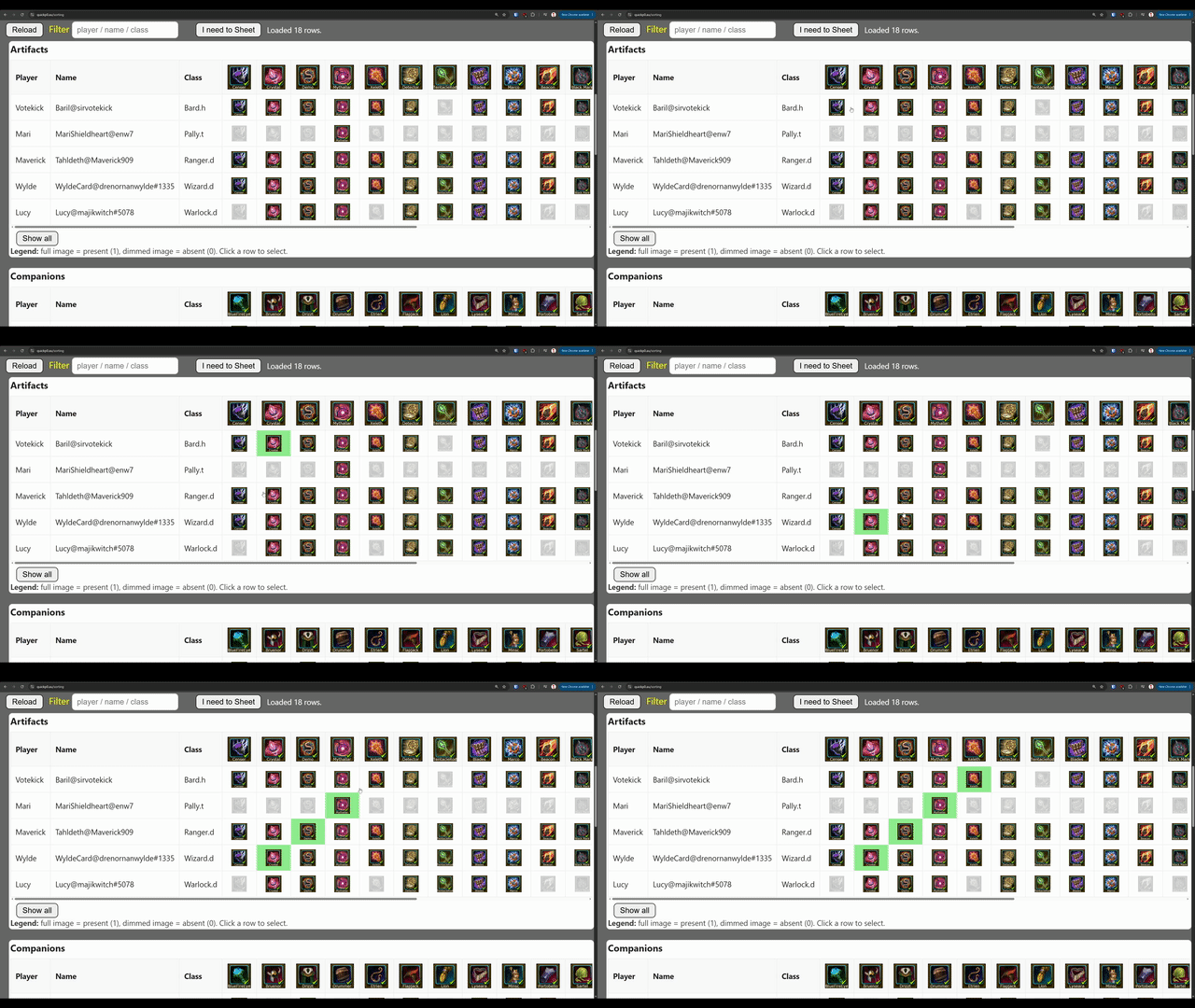 There are some exceptions. Gear, Scorpion and some Mount Auras are excluded from being unique
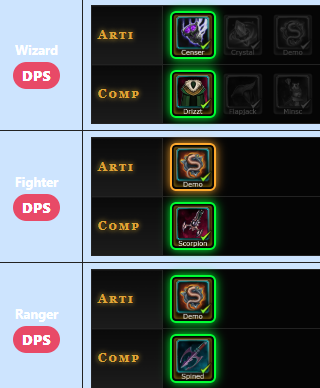
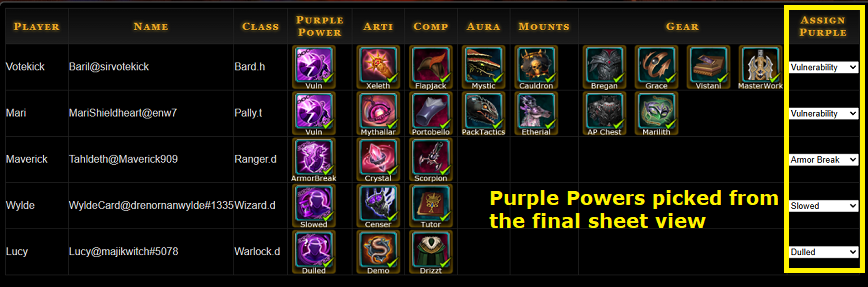
 Once you've picked everything up the top click the button "I Need to Sheet" to generate a visual output of assignments.
The sheet generated looks like this. This is also where you set the purple powers.
Once you've picked everything up the top click the button "I Need to Sheet" to generate a visual output of assignments.
The sheet generated looks like this. This is also where you set the purple powers.
Auto Sorting
This is currently a work in progress but it's currently in a pretty good spot. The Sheet ID and GID work the same as the manual sorting see above. There is some logic to apply priority:- Tanks get Mythallar, Tentacle Rod and Heart of the Volcano when possible.
- Aura priority is Pack, Mystic, Runic then a 2nd Pack.
- and some DPS arti priority is working but not all.
- Other than being unique the companions are still a work in progress
- Gear is selection still a bit of a mess.
- Duplicate or Conflict is highlighted